
Google review sign for business: how to choose the right card to get more 5-star reviews

Key Takeaways
A google review sign can make the request visible at the moment a customer is most likely to respond. The right format depends on where customers interact with your business and which review platforms matter most.
- Put the sign or card where the customer naturally pauses.
- Use a QR code that leads directly to the correct review page.
- Choose Google-only or dual-platform cards based on your audience.
- Keep requests genuine and never offer incentives for reviews.
- Track review volume and placement before changing your approach.
How a Google review sign helps businesses get more reviews
A google review sign helps by shortening the distance between a good customer experience and the review page. Instead of asking someone to remember your business, search for it later, and find the correct profile, you give them a clear next step. The result is a practical reminder rather than another task for them to remember.
For a print or sign reseller serving local organisations, the operational question is simple: will the item be easy for the client to deploy and easy for their customers to use? A well-made card or countertop sign answers both questions without requiring an app or a complicated customer journey.
Why timing matters after a positive customer experience
People are most likely to act when the experience is still fresh. A customer who has just received helpful service, completed a purchase, or finished a successful booking may be willing to leave feedback, but that intention can disappear once they leave and become busy again.
The request should still feel optional and natural. A member of staff might say, “If you were pleased with the service, here is a quick way to leave feedback.” That wording invites an honest response without promising a particular rating.
How QR codes take customers to your review page in seconds
A printed QR code removes the need for customers to search for the business manually. With Review Cards, customers scan a custom QR code using a smartphone and are taken directly to the relevant review page, where they can leave feedback in seconds.
That direct route matters because every extra search result, menu, or login prompt creates another chance for the customer to stop. The card does not create a review by itself; it makes the intended action much easier to complete.
Why a simpler review process can improve local visibility
A steady flow of genuine reviews gives prospective customers more recent evidence when they compare local businesses. It can also give a business more useful feedback about service quality, recurring problems, and the parts of the customer experience people remember.
Review volume and rating are not the only considerations in local search, and no card can guarantee a particular position. Still, removing unnecessary friction is a sensible part of a wider reputation process. Businesses can also learn from Google review guidance before they design their request.
Choosing between a Google review sign and review cards
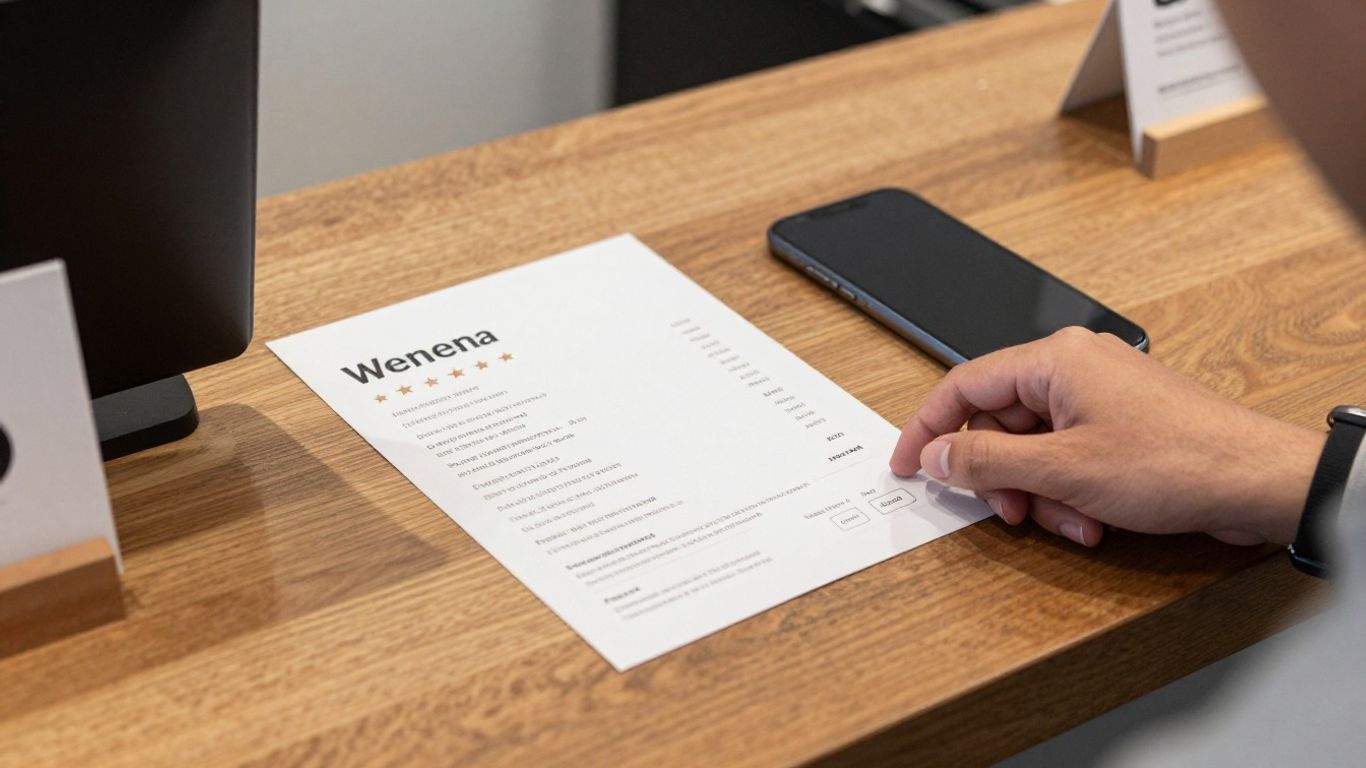
The best format depends on the customer journey, not on which item looks more impressive. A fixed sign is visible to many people in one location, while a pocket-sized card can travel with a customer or be handed over at a service point. Some organisations use one format consistently; others use both.
Think about where the request will happen, who will make it, and whether the customer is likely to act immediately or later. A sign at a reception desk has a different job from a card given to a client after a completed appointment.
When a countertop sign works best
A countertop sign works well where customers pause to pay, collect an item, check in, or speak with a member of staff. It stays in place, needs no stock management during each interaction, and can prompt people who were not directly asked for feedback.
Its limitation is that visibility does not guarantee action. The sign should be positioned at eye level, kept uncluttered, and supported by a short verbal request when the moment is appropriate.
Benefits of handing customers a pocket-sized review card
A pocket-sized card is more personal and easier to use in a service business where the interaction happens away from a fixed counter. It can be included with a completed job, handed to a guest at departure, or given to a customer who has specifically praised the service.
When comparing formats, map the item to the operational setting rather than treating one as universally better. This simple comparison can help a reseller or client make a practical choice:
| Format | Works well when | Main operational benefit |
|---|---|---|
| Countertop sign | Customers pause at one location | Remains visible throughout the day |
| Pocket-sized card | Staff complete individual interactions | Travels with the customer |
| Mixed approach | The journey includes several touchpoints | Supports both immediate and later action |
The mixed approach is often useful when a business has a reception area as well as staff who work directly with customers. It also makes it easier to test whether visibility or personal distribution produces more responses.
Using tap-to-review and scan-to-review options together
A business can offer a scan route wherever a printed QR code is appropriate, while staff explain the route in plain language. The important point is that the customer should understand what will happen after scanning and which review page they will reach.
Do not add options simply to make the item look more technical. A clear QR code, a recognisable platform name, and a short request are usually more useful than a crowded design. For organisations comparing physical formats, a review card buying guide can help keep the decision focused on use rather than appearance.
Comparing Google-only and dual Google and Tripadvisor review cards
Google is often the main priority for local visibility, but it is not the only place where customers share experiences. Hotels, restaurants, attractions, and tourism businesses may already receive meaningful feedback on Tripadvisor as well. A dual Google and Tripadvisor review card can give those customers a choice without requiring separate handouts.
The decision should follow customer behaviour. If nearly every customer uses one platform, a single-purpose card may be clearer. If the business attracts visitors who plan trips through different review services, two well-labelled routes may be more useful.
When a Google-only card is the better choice
A Google-only card is a sensible choice when the business wants one clear destination and most customers already use Google. It keeps the design simple and makes staff requests easier to explain, particularly in a busy setting where the interaction lasts only a few seconds.
Customers still need a valid Google account to submit a Google review. A card can take them to the right page, but it cannot remove that platform requirement or guarantee that a customer will complete the review.
How dual-platform cards support restaurants, hotels, and tourism businesses
Dual cards are useful when customers naturally choose between Google and Tripadvisor. A hotel might receive searches from local customers and visitors planning a trip, while a restaurant near a tourist area may serve both regulars and one-time guests.
Review Cards provides dual-platform card options that can direct customers to Google and Tripadvisor. The benefit is practical: one printed item can support two destinations, provided the layout makes each option clear and the customer is not pressured to leave duplicate feedback.
Directing customers to the right review platform without confusion
Platform choice should be visible at a glance. Use distinct labels, enough spacing, and a short explanation such as “Choose where you would like to share your experience.” Avoid presenting two QR codes with no context, since customers may scan the wrong one or abandon the process.
It is also worth checking whether a customer has already posted feedback on one platform before asking for another review. The aim is to make genuine feedback easier, not to create repetitive or misleading activity.
What to look for when buying a Google review sign
Buying a google review sign is partly a design decision and partly a setup decision. The printed surface has to be clear and durable, but the underlying link also needs to point to the right business profile. A cheap-looking item can be ignored, while a polished item with an incorrect QR code can create immediate frustration.
For a client-facing order, confirm the business details, review destination, quantity, and proofing process before anything is printed. Done-for-you preparation is valuable only when there is a real opportunity to check the details before production.
Custom QR codes and direct review-page links
The QR code should lead directly to the intended review page rather than to a generic search result. Review Cards includes a bespoke QR code linking to the business’s Google page, and the customer journey is designed around scanning that code with a smartphone.
Ask for the final destination to be checked before printing. A single character error, an outdated listing, or the wrong branch can make an otherwise attractive sign ineffective.
Personalization with your logo, business details, and branding
A useful card should identify the business clearly. Business name, logo, telephone number, website, and a short call to action help the customer remember who is requesting the feedback and why the item is in their hands.
Personalisation also matters for staff-led services. In restaurant settings, the documented design can include space for a server’s name, which may help a business connect feedback with individual customer interactions. Keep the design readable; branding should support the action, not compete with it.
Card quality, size, print finish, and quantity
Choose a size that fits the hand, wallet, counter, or packaging where it will be used. Full-colour, high-quality card can feel more deliberate than a loose paper slip, particularly when the business gives it to a customer after completing a service.
Quantity should follow the distribution plan. Ordering too few can lead to inconsistent use, while ordering too many before testing the process can tie up budget. A small pilot across two customer touchpoints is often enough to identify practical issues.
Done-for-you design proofs, setup, and delivery
A supplier that prepares the QR code, completes the design work, and sends proofs reduces the amount of technical work the business must handle. Review Cards states that it provides QR setup and proofs before printing, with delivery included in the documented offer.
That workflow is particularly useful for a sign or print company supplying several clients, because the proof becomes a clear approval point. Before approving it, scan the code with more than one phone and check every printed business detail.
Where to place and use your Google review sign
Placement determines whether a review prompt becomes part of the customer journey or fades into the background. A sign should sit where customers naturally stop, while a card should be handed over when staff can explain its purpose without interrupting the service.
For a multi-site organisation, record where each sign is installed and who is responsible for replenishing cards. That small amount of operational discipline makes later measurement much more useful.
Positioning signs at checkout, tables, reception desks, and exits
A checkout or reception desk is usually effective because customers are already waiting or completing a transaction. Tables can work when the customer has time to read, while exits can provide a final reminder after a successful visit.
Avoid placing the sign behind clutter, beside competing notices, or where glare makes the QR code difficult to scan. The best position is visible, stable, and close enough for a customer to use without asking for assistance.
Giving cards to happy customers at the right moment
Staff should listen for natural signals: a customer says they are pleased, thanks someone for solving a problem, or asks how they can recommend the business. That is a reasonable moment to offer a card, while making clear that the customer is free to provide their honest view.
A card should not be pushed at every customer regardless of context. Selective, courteous distribution generally feels more genuine and gives the request a clear connection to the experience that has just taken place.
Training staff to make a clear and natural review request
Staff do not need a long script. They need to know when to ask, what the card does, and how to avoid suggesting a particular rating. A short briefing can cover the following points:
- Mention the card after the service or transaction is complete.
- Explain that the QR code opens the relevant review page.
- Ask for honest feedback rather than a guaranteed five-star rating.
- Respect customers who decline or need to leave immediately.
After training, managers should listen for whether the request sounds comfortable and consistent. The goal is not to turn every interaction into a sales pitch; it is to make a useful option available at the right time.
Creating industry-specific uses for restaurants and service businesses
Restaurants can place cards with the bill or provide them through servers, while salons and tradespeople can include them after an appointment or completed job. A hotel may use them at reception and departure, and a tourism business may hand them over after a tour or activity.
The physical format should match the workflow. A card that fits inside a service pack may be more useful than a countertop sign for a mobile operator, while a fixed sign may suit a venue with one busy reception point.
Getting more reviews while following Google’s guidelines
A review request must make room for honest feedback. The purpose of a card is to reduce the effort of finding the review page, not to control what a customer writes or to manufacture a rating. Clear wording and consistent treatment protect the credibility of the business.
Businesses should also remember that review policies can change. A practical process includes checking current platform guidance, responding politely to feedback, and avoiding claims that a card can guarantee a specific number of reviews.
Why customers need a valid Google account
Google requires reviewers to have a Google account. If a customer scans the code but cannot sign in, the issue is with the platform requirement rather than necessarily with the printed card.
Staff can explain this simply and offer the card for later use if the customer prefers. They should not ask a customer to create an account on the spot or handle the customer’s login details.
Avoiding incentives, review gating, and misleading requests
Do not offer money, discounts, gifts, or preferential service in exchange for a review or a particular rating. Do not ask only customers who appear happy to review while sending unhappy customers to a hidden private channel. Those practices can undermine trust and may conflict with platform rules.
The wording should describe the opportunity accurately: the customer may scan the code and share genuine feedback. A Google review sticker resource can provide another visible reminder, but the same standards apply to every request.
Helping customers submit genuine and appropriate feedback
A customer should write about their own experience in their own words. Staff can explain where the QR code leads, but they should not dictate the content, ask to see the draft, or pressure the customer to remove criticism.
Businesses can respond to published reviews with politeness and gratitude, including when the feedback is negative. That response shows future readers that the organisation takes customer experience seriously.
What to do when a customer cannot leave a review
If a customer lacks a Google account, has no connection, or is in a hurry, accept that they may not review. Offer the card for later only if it is convenient, and provide another appropriate contact route for service issues.
A failed attempt is also useful operational feedback. If several customers cannot scan the code, check print quality, lighting, placement, and the destination link before assuming the customer is the problem.
Measuring the impact of your review sign
Measurement does not need to be elaborate. Start with the number of new reviews before and after introducing the sign or cards, then compare that movement with placement, staffing, and seasonal changes. Rating trends and the substance of feedback matter as much as raw volume.
A simple record can help a business avoid guessing. For example, if a reception sign produces four new reviews in a month and staff-distributed cards produce nine, the next test might focus on staff timing rather than ordering more signs immediately.
Tracking review volume, rating trends, and local search visibility
Record the starting review count, average rating, and date of each new review. Then note significant operational changes, such as a new location, revised service process, or seasonal rush. Local visibility is harder to isolate, so treat search impressions and enquiries as supporting indicators rather than proof of a single cause.
Useful measures include:
- New review count by week or month.
- Average rating and recurring themes in feedback.
- Enquiries, calls, or visits that mention online reviews.
- Visibility changes for important local searches.
These measures show whether the process is producing activity and whether the resulting feedback is useful. They do not prove that every new customer came from a card.
Comparing sign placement and staff distribution methods
Run one change at a time where possible. A business could keep the reception sign in place for a month, then compare it with a period when staff also distribute cards after completed interactions. Record the dates and the number of cards used rather than relying on memory.
For larger organisations, location or team-level comparisons may reveal a pattern. Avoid treating small differences as a definite conclusion; customer mix and trading conditions can shift from week to week.
Using customer feedback to improve service and reputation
A review card is also a listening tool. Read new feedback for repeated comments about waiting times, communication, cleanliness, delivery, or staff helpfulness. Share useful observations with the team and make visible improvements where appropriate.
Responding courteously to reviews can reinforce that the business is paying attention. The strongest reputation process combines an easy request with better service, not a printed prompt alone.
Estimating the value of a steady flow of new reviews
Estimate value by connecting review activity to business measures such as qualified enquiries, bookings, repeat visits, or completed jobs. Keep the calculation modest and transparent: compare a baseline period with a similar period after the process is established, while recording other major changes.
A steady flow of genuine feedback may support trust over time, but it should be treated as one part of local marketing. The practical win is a repeatable process that staff can use, customers understand, and managers can improve.
Build a simpler review process
If your business needs printed cards that direct customers to Google or Tripadvisor in seconds, order review cards with the relevant platform choice, business details, QR setup, and proofing handled as part of the process. Start with the customer journey, then select the format and quantity that staff can use consistently.
Conclusion
The right google review sign is the one that fits naturally into a real customer interaction. Choose a clear destination, use the sign or card where people pause, ask for honest feedback, and measure what happens next. With consistent use and careful follow-through, a simple printed prompt can support a stronger flow of reviews and a clearer view of what customers value.
Frequently Asked Questions
What is a google review sign?
A google review sign is a physical display or card that gives customers a visible prompt and usually a QR code leading to a business’s Google review page.
Do customers need a Google account to leave a review?
Yes. Customers need a valid Google account to submit a Google review, although they can scan the QR code before signing in or return to the process later.
Is a countertop sign better than a review card?
Neither is automatically better. A countertop sign suits a fixed customer touchpoint, while a review card is more useful when staff hand something directly to a customer.
Can one card support Google and Tripadvisor reviews?
Yes. A dual-platform card can provide separate routes to Google and Tripadvisor, as long as the labels and QR codes are clearly distinguished.
Should a business offer a reward for leaving a review?
No. Businesses should not offer incentives for reviews or ask for a particular rating. Customers should be free to submit genuine feedback without pressure.
Where should a review sign be placed?
Place it where customers naturally pause, such as a reception desk, checkout, waiting area, table, or exit. Keep the code visible and free from glare or clutter.
How can a business tell whether the sign is working?
Track new review volume, rating trends, feedback themes, and relevant enquiries over time. Compare different placements or distribution methods while noting seasonal and operational changes.